Shop or menu
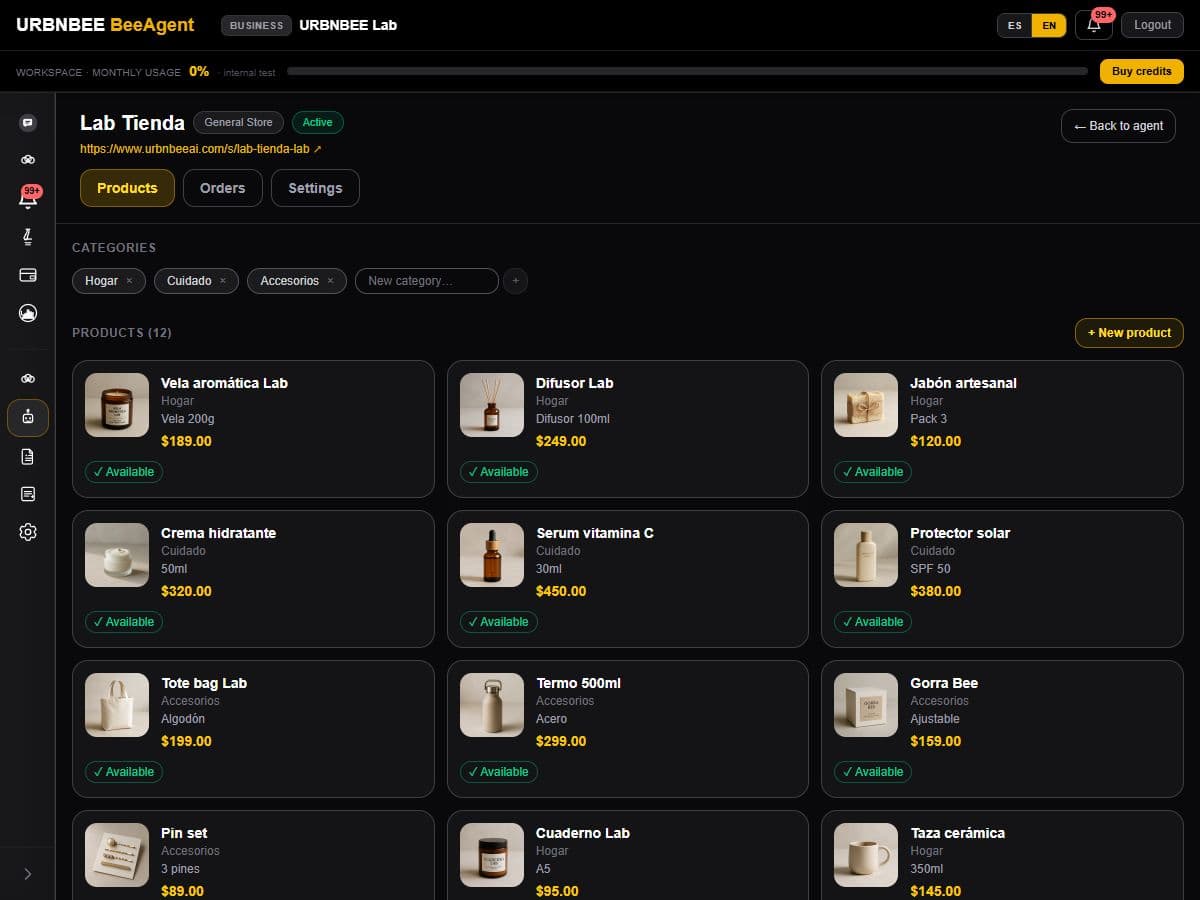
The commerce page shows your URBNBEE microsite inside your website. Customers browse products and complete orders without leaving your domain.

URBNBEE website builder
Talk to AI to create a website tailored to your business, connected to your URBNBEE shop, menu or calendar and ready to upload to your domain.
Describe your business, the style you want and what to highlight. AI uses business information to propose content, design and images; request changes in chat.
Check the preview, adjust theme, colors and sections, and review business details, photos and connections. Your team decides when the site is ready.
Approve the site and download a ZIP with HTML pages, styles and assets. Instructions explain uploading to compatible hosting, such as GoDaddy with cPanel.
No need to maintain two catalogs or calendars. Your site presents your brand and connects the tools you already operate in URBNBEE.
The commerce page shows your URBNBEE microsite inside your website. Customers browse products and complete orders without leaving your domain.
Show your services and connect booking to your business calendar. Availability and prices are managed in URBNBEE.
Shop and calendar operations stay in your account, with enabled payment methods and team follow-up. A price change does not require re-exporting your catalog.
They complement each other: one presents your business; the other carries out a specific operation.
Present your brand, content, images and contact details.
Make a purchase, booking or order easy.
Created with AI chat, preview and settings.
Uses the operational shop, menu or calendar view.
Export files for your hosting and domain.
Share a public URBNBEE link.
Can include your microsites as shop or booking pages.
Reads your account catalog and availability.
The builder can propose content, images and design. Review the result and adjust theme, colors and sections in the panel before approval.
Home and contact, access to your panel, and shop or booking pages when those tools are enabled and configured. Menu presentation follows your commerce type.
No. The ZIP is ready for compatible hosting; buying a domain, configuring hosting and uploading files are separate steps. Publishing is not automatic.
In URBNBEE. The integrated shop and calendar read your account; there is no second product copy to edit after every change. Website content or design changes do require a new export.
Your account tools and connections supporting shop, calendar and payments. Chat availability also depends on activation and credits; exporting a site does not itself activate AI chat.
Prepare your business information and choose the tools you need. Our sales team can help define the scope.